

Xtreme HD IPTV is a popular choice for streamers who want a large channel lineup and on-demand options. This guide walks you through using Xtreme HD on MAG boxes, Enigma2 images and other STBs — covering setup, key features and the troubleshooting steps that fix most issues. If you run into configuration problems, the right checklist makes them quick to resolve. Below you’ll find compatibility notes, step-by-step installs, optimization tips and resources for ongoing support.
Key Takeaways
- Xtreme HD IPTV delivers extensive live TV and on-demand content and works with MAG boxes, Enigma2 images and many STB devices.
- Setting up Xtreme HD on MAG boxes typically means connecting the device, updating firmware and entering the IPTV portal URL in the settings.
- Installing Enigma2 requires flashing compatible firmware and adding the Xtreme HD plugin to enable IPTV streaming.
- Optimizing Enigma2 involves matching video resolution to your display, managing plugins and ensuring a stable network connection.
- Common fixes for buffering include checking internet stability, power cycling devices and lowering video quality during peak usage.
- Keeping firmware up to date improves streaming stability, device compatibility and adds new features for Xtreme HD users.
- Find help through IPTV forums, step-by-step tutorials and official manufacturer documentation when you need setup or troubleshooting guidance.
- Recommended connection speeds for Xtreme HD: ~10 Mbps for SD, ~20 Mbps for HD and ~25 Mbps or more for 4K streaming.
- Simultaneous streaming is allowed based on your subscription plan — check your plan’s device/stream limits.
What Is Xtreme HD IPTV and Which Devices Are Compatible?
Xtreme HD IPTV is a subscription service that streams live TV channels and on-demand content over the internet. It supports a range of set-top hardware, most commonly MAG boxes, devices running Enigma2 firmware and other STBs. The service uses IPTV middleware and standard streaming protocols to deliver content, so device compatibility and correct configuration are important for a smooth viewing experience.
How does Xtreme HD IPTV stream content to MAG boxes and Enigma2 devices?
Xtreme HD sends video over your internet connection using IPTV technology rather than traditional cable or satellite. Middleware on the provider side handles channel lists, authentication and stream delivery, while your MAG or Enigma2 device requests and decodes those streams. When configured correctly, this flow gives reliable access to live channels and VOD without the need for satellite dishes or cable tuners.
What are the key features of MAG boxes, Enigma2 firmware, and STB devices?
MAG boxes are valued for their simple interfaces and solid playback performance. Enigma2 firmware offers deep customization, extensive plugin support and flexible channel management. STB devices vary widely but generally provide broad compatibility with IPTV services when paired with the right firmware or plugins. Together, these platforms cover both plug-and-play users and advanced hobbyists who want to tweak their setup.
How to Set Up Xtreme HD IPTV on MAG Box Devices?
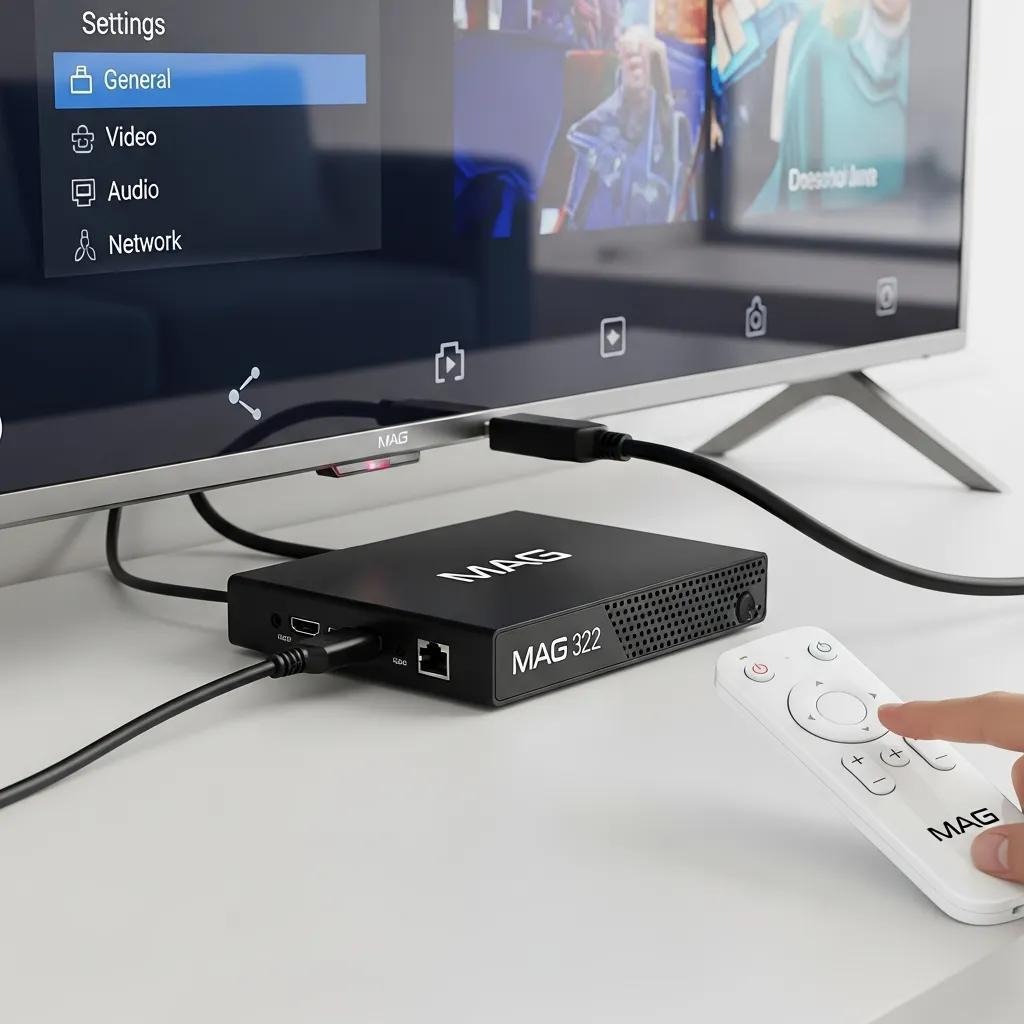
Installing Xtreme HD on a MAG box is usually straightforward: make sure the box is online and updated, then enter the portal details supplied with your subscription. The steps below cover the typical configuration flow most users follow.
What are the step-by-step MAG box configuration and firmware update procedures?
- Connect the MAG box: Plug the MAG box into your TV and connect it to the internet (Ethernet preferred for stability). Power it on.
- Access the settings menu: Open the device settings from the home screen to reach network and system options.
- Update firmware: Check for and install any available firmware updates from the manufacturer to ensure compatibility and performance.
- Configure IPTV settings: In the portal or network settings, enter the Xtreme HD portal URL or credentials provided with your subscription.
- Save and restart: Save the changes and reboot the MAG box so the portal and channels load correctly.
After these steps your MAG box should load the Xtreme HD interface and channel list. If channels don’t appear, re-check the portal URL and your internet connection.
How to activate and subscribe to Xtreme HD IPTV on MAG boxes?
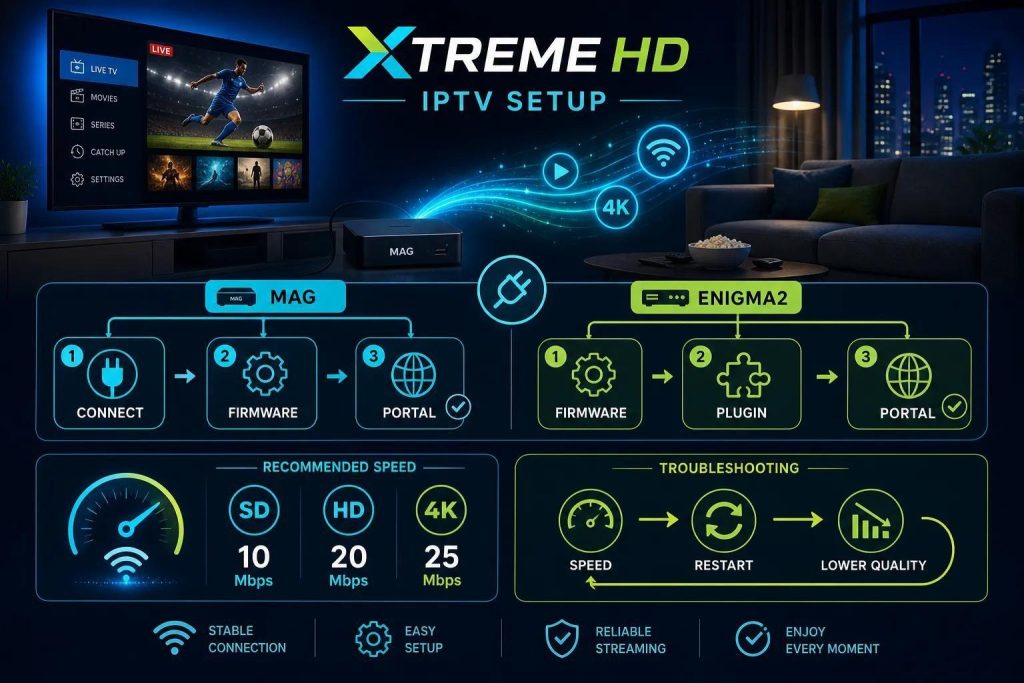
To activate Xtreme HD on a MAG box, follow the provider’s activation routine and enter the code or portal details as instructed:
- Obtain subscription details: Buy a plan from Xtreme HD and note your activation code or portal URL sent by email.
- Enter activation code: Open the MAG IPTV settings and input the activation code or portal address exactly as provided.
- Confirm subscription: Follow on-screen prompts to finish activation — the portal will authenticate and download channel data.
- Start streaming: Once confirmed, browse channels and begin watching immediately.
If activation fails, double-check the code, test your internet connection and contact support for the subscription provider.
How to Install and Configure Enigma2 IPTV on STB Devices?
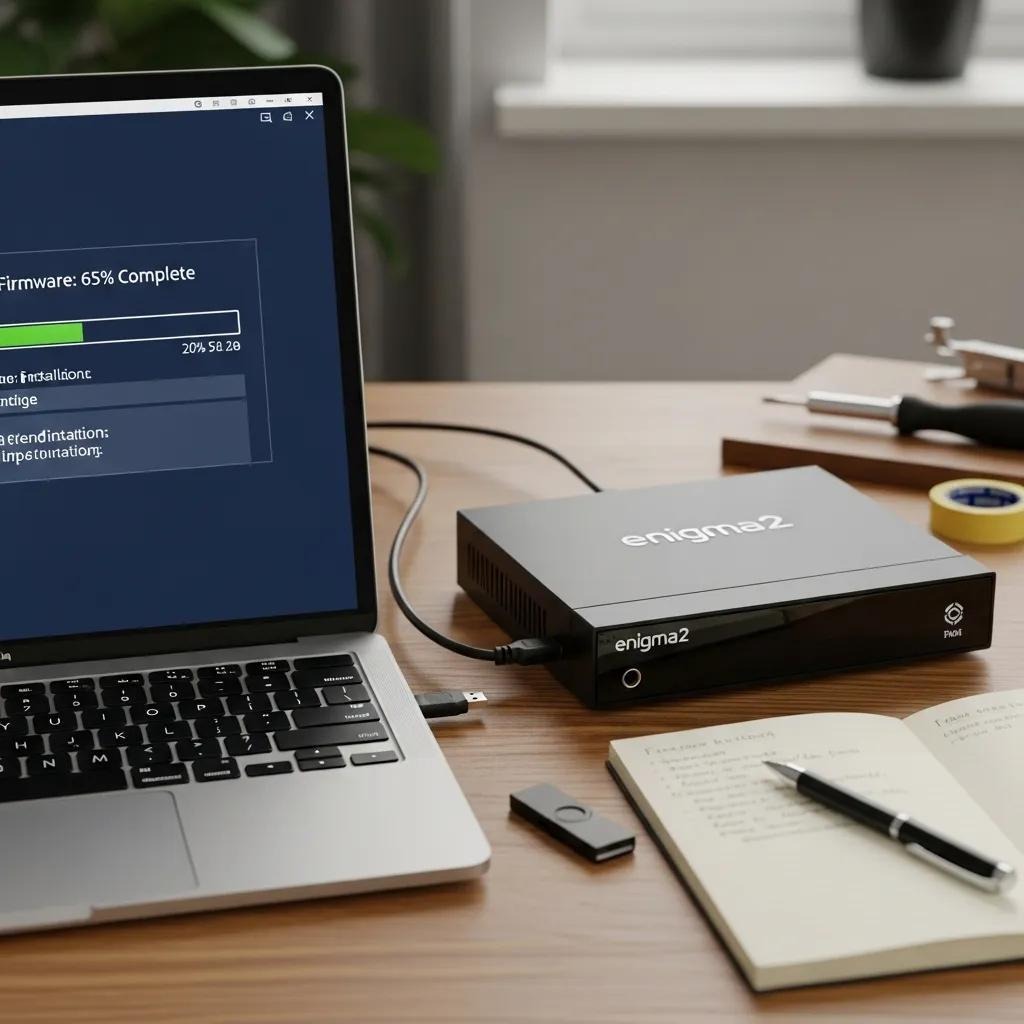
Enigma2 is a flexible firmware platform used on many STBs. Installing Xtreme HD on Enigma2 involves flashing compatible firmware (if needed), then installing the Xtreme HD plugin or configuring your IPTV client inside the image.
What is the process for Enigma2 firmware installation and plugin setup for Xtreme HD?
- Download Enigma2 firmware: Get the latest Enigma2 image that is compatible with your STB model from a trusted source.
- Install firmware: Transfer the image to a USB drive and follow your device’s flashing instructions to install or update the firmware.
- Access plugin menu: After rebooting, open the Enigma2 plugins or extensions menu from the system interface.
- Install Xtreme HD plugin: Find and install the Xtreme HD IPTV plugin or the recommended IPTV client for your image.
- Configure plugin settings: Add the portal URL, login or activation code supplied with your subscription to complete setup.
Once configured, the plugin should populate channels and let you stream via the Enigma2 interface.
How to optimize Enigma2 device settings for smooth IPTV streaming?
Small tweaks can make a big difference in playback quality:
- Adjust video resolution: Match output resolution to your TV (avoid unnecessary upscaling) for smoother playback.
- Configure network settings: Use Ethernet when possible and set a static IP or stable DHCP lease to reduce dropouts.
- Manage plugins: Disable or remove unused plugins to free CPU and memory resources.
- Regular updates: Keep the image and plugins updated to benefit from fixes and performance improvements.
These optimizations help prevent freezes and buffering, especially on older hardware.
What Are Common Troubleshooting Steps for IPTV Streaming on MAG, Enigma2, and STB Devices?
Even well-configured IPTV setups can hit snags. Below are the most common troubleshooting steps that resolve the majority of playback and connectivity issues.
How to resolve streaming quality issues and buffering on Xtreme HD IPTV?
Try this checklist when you experience buffering or low-quality streams:
- Check internet connection: Run a speed test and confirm your bandwidth meets the recommended levels for your target quality.
- Restart the device: Power-cycle the MAG box, Enigma2 device or STB to clear temporary errors and re-establish streams.
- Adjust video quality settings: Temporarily lower playback resolution to reduce buffering during peak network times.
- Limit network usage: Pause large downloads or disconnect other streaming devices to free up bandwidth.
These steps fix most common playback interruptions. If issues persist, contact your IPTV provider and provide logs or screenshots where possible.
What firmware compatibility checks and updates improve IPTV performance?
Keeping firmware and plugins current is essential. Follow these checks:
- Check for updates: Regularly look for firmware and plugin updates for MAG boxes and Enigma2 images.
- Verify compatibility: Ensure the firmware/image version you install supports the Xtreme HD plugin or IPTV client.
- Read release notes: Review update notes so you know which fixes or improvements are included.
Applying compatible updates reduces glitches and keeps your device working smoothly with Xtreme HD streams.
How to Keep Your IPTV Setup Updated with Latest Firmware and Software?
Staying current is the simplest way to avoid problems and enjoy new features. Use trusted sources and a repeatable update routine to keep devices patched and secure.
Where to find and how to apply MAG box and Enigma2 firmware updates for 2026?
Use these reliable sources and approaches to update in 2026:
- Official websites: Check the manufacturer’s site for the latest firmware releases and step-by-step install instructions.
- Community forums: Follow active forums and image teams for tested images and user feedback on updates.
- Automatic updates: When available, enable automatic updates in device settings to install critical patches without manual steps.
Always back up settings where possible before flashing a new image or firmware.
How do firmware updates impact Xtreme HD IPTV streaming quality and device compatibility?
Firmware updates affect your setup in three main ways:
- Improved performance: Updates often include optimizations that reduce stutters and speed up navigation.
- Bug fixes: Patches address issues that could cause crashes, audio/video sync problems or stream drops.
- New features: Updates can add playback options, better codec support and improved plugin compatibility.
Regular updates help maintain a reliable streaming experience with Xtreme HD.
Where to Find Support and Resources for Using Xtreme HD with MAG, Enigma2, and STB Devices?
When you need help, use a mix of official docs and community knowledge. Below are the places that most users find useful.
What are the best IPTV forums, tutorial sites, and official documentation for setup help?
Helpful support channels include:
- IPTV forums: Community boards where users share setup tips, fixes and tested configurations.
- Tutorial sites: Step-by-step guides and video walkthroughs for setting up MAG and Enigma2 devices.
- Official documentation: Manufacturer and vendor manuals and FAQs for model-specific instructions.
Combine these resources when troubleshooting: start with official documentation, then consult forums for real-world solutions.
Frequently Asked Questions
What internet speed is recommended for optimal Xtreme HD IPTV streaming?
Recommended speeds: about 10 Mbps for standard definition (SD), 20 Mbps for HD, and 25 Mbps or higher for 4K. Stable latency and minimal packet loss are just as important as raw speed — wired connections usually give the best results.
Can I use Xtreme HD IPTV on multiple devices simultaneously?
Yes — simultaneous streaming depends on your subscription plan. Some plans allow multiple concurrent streams; others limit you to one or two devices. Check your plan details to avoid unexpected interruptions.
What should I do if I forget my Xtreme HD IPTV activation code?
Retrieve your activation code by logging into your account on the provider’s website, checking the confirmation email (including spam folders), or contacting customer support. Most providers can reissue or resend codes quickly.
Are there any additional costs associated with using Xtreme HD IPTV?
Besides the subscription fee, consider extras like faster internet plans, replacement or upgraded STBs, and optional premium channel add-ons. Review your subscription terms to understand any optional charges.
How can I improve the performance of my MAG box or Enigma2 device?
Improve performance by updating firmware and plugins, using a wired network connection, disabling unused plugins, lowering output resolution when necessary and occasionally rebooting the device to clear temporary caches.
What are the benefits of using Enigma2 firmware for IPTV streaming?
Enigma2 offers a customizable interface, broad plugin support and strong format compatibility. It’s a good pick for users who want advanced control over channel management, skins and additional features beyond basic IPTV playback.
Conclusion
Xtreme HD IPTV works well with MAG boxes, Enigma2 images and many STBs when you follow the right setup and maintenance steps. Keep firmware updated, use a stable network connection and rely on the community and official documentation for help. With a properly configured device, you’ll enjoy smoother playback, faster channel access and a more reliable streaming experience — ready to start your seamless IPTV setup today.


